Published
- 2 min read
On your MARK, get set, organize!

Using Xcode’s MARK comments to organize and quickly navigate in a file
A quick tip on code organization within Swift files.
As I continue working on my widget-focused app (great headway, should be out in a couple of weeks!) I am making a lot of changes within files. This can lead to a lot of vertical scrolling, which is quite frankly a bit of a nuisance. In order to avoid this I use // MARK: comments.
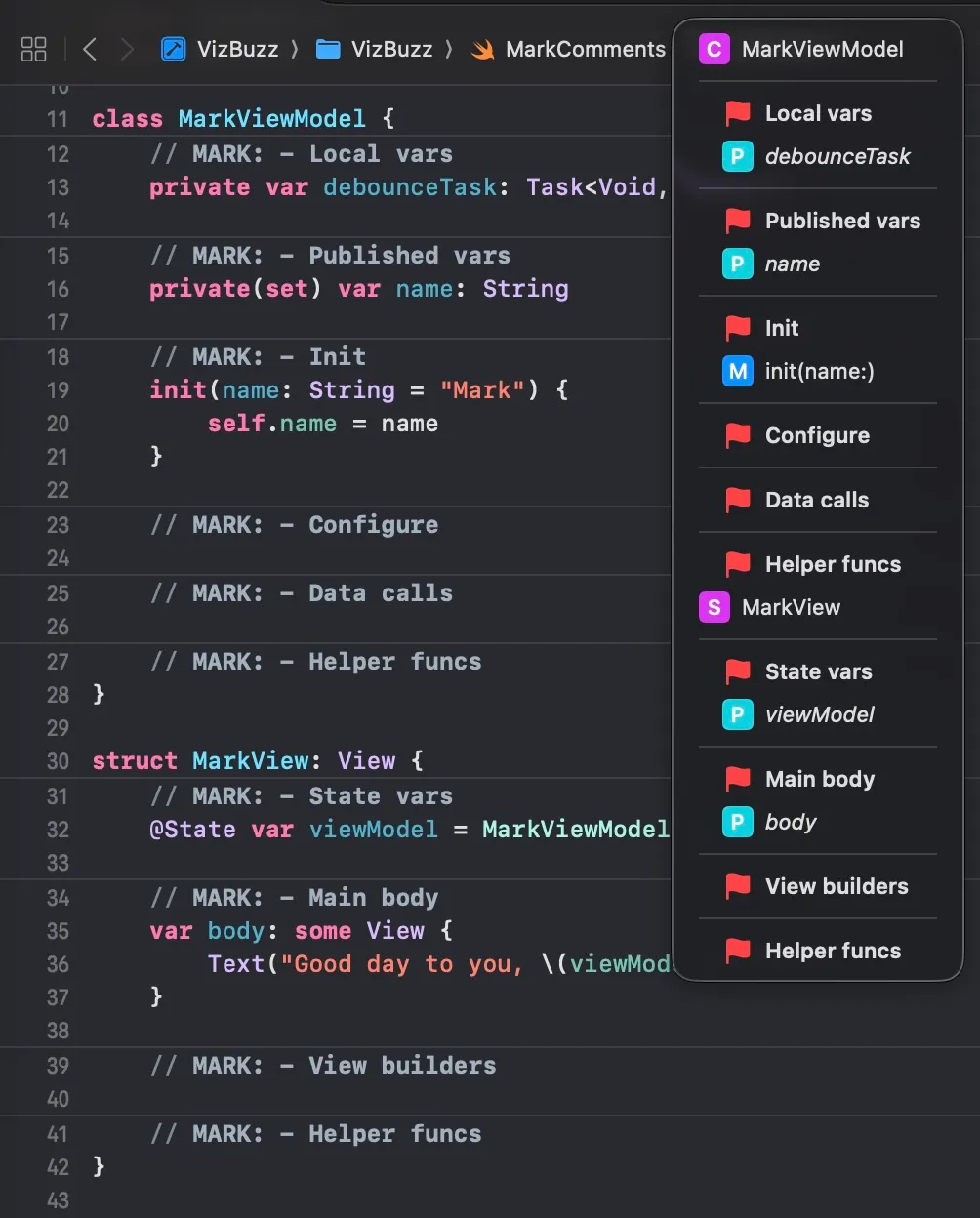
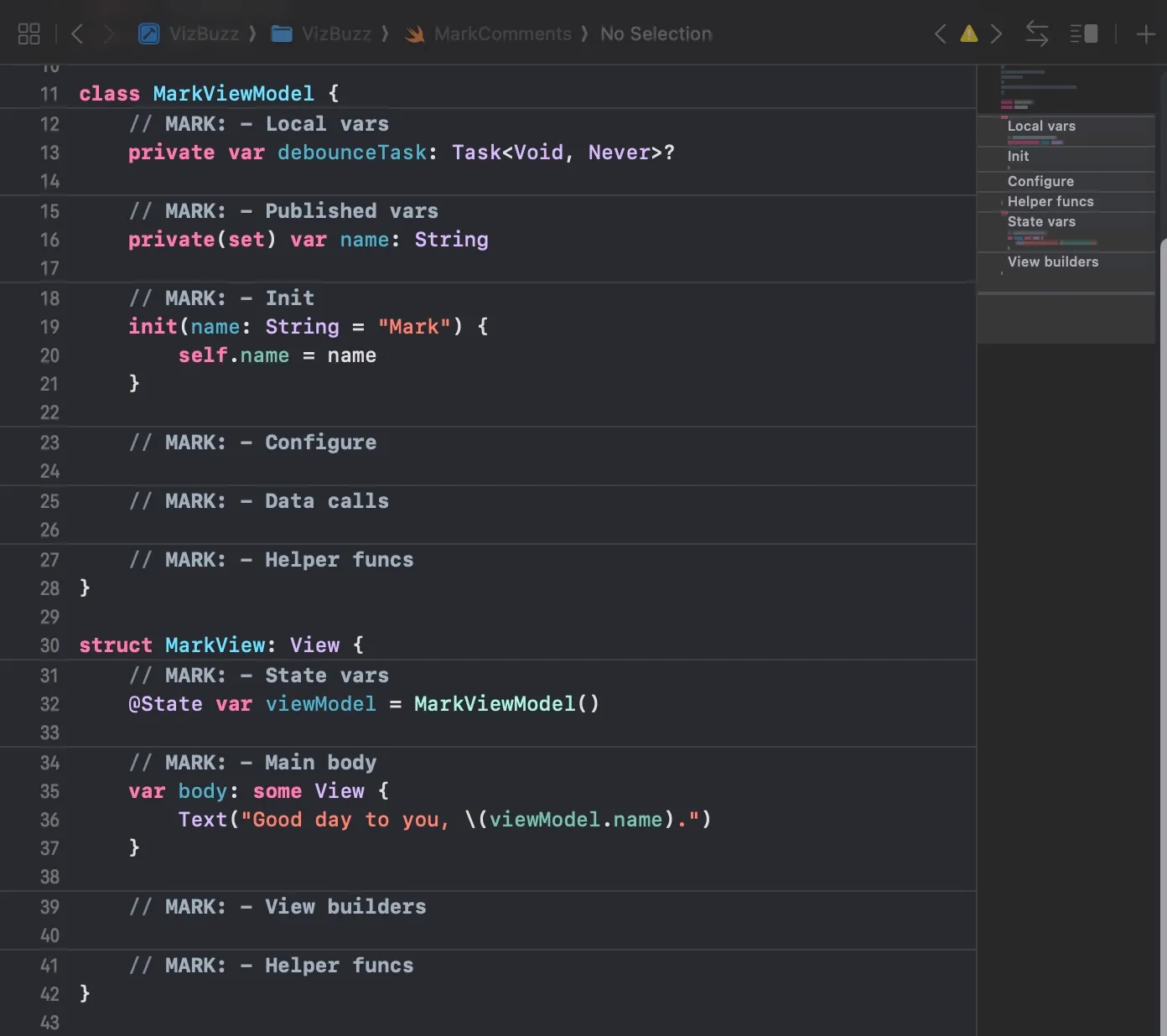
Xcode automatically recognizes these comments and adds them to the Jump Bar and the minimap to make it easy to jump to. An added bonus of using MARK comments to organize a file into sections is that when you add any new code it can be placed into a logical section within that file. (Marie Kondo’s got nothing of me! 😅)
These images give you a rough idea of how your could utilize MARK comments within your files.
If you are using AI to generate code, the MARK comments have the added benefit of helping the agent find an appropriate place to add new code within your file, thus further reducing time wasted on such organization. If the agent doesn’t know where to place the code within the existing sections it often comes up with a new MARK of its own, which has provided me with some good ideas about organization as well. You can even specify the MARK comments you’d like to include within your agents.md file to further improve the output of the agent.
That’s all for today. Ciao!